Ten editable video briefs and original graphics for independent GTA VI creators. Explore what is included, how the files work and how delivery is planned.
A complete free example
From evidence to a title card.
Vice City: confirmed setting, open questions · Source, script, shot list and finished graphics.
Rockstar names Vice City on the official GTA VI page.
The example separates that fact from open questions about specific streets, interiors and missions.
Rockstar Games · Reviewed 2026-11-10. Original link and scope on the example page.02 / Script
An opening you can build on
Vice City is named on Rockstar’s GTA VI page. But how much can that one fact actually tell us?
The complete example includes the full script, caption and four-shot recording plan.03 / Finished output
A card you can actually edit
16:9 and 9:16 SVGs. Open the example in the editor to export your own PNG or JPG.
Free: this worked example, three video briefs and the online editor. Full kit: ten expanded briefs, three additional worked examples, original graphics, an offline project editor and a 14-day plan.
Each brief includes a script, shot list, caption, two alternative openings, three title choices, a shorter cut, a longer-video outline and recording checks.
02
Three original SVG layouts
A landscape title card, a vertical title card and a comparison layout. Keep the SVG files for further editing. The included title-card editor also exports PNG and JPG in landscape and portrait formats.
03
An offline title-card editor
Read all ten briefs, export PNG/JPG or SVG, and keep multiple named projects with duplication, archiving and library backup/import. Open START-HERE.html in a desktop browser after extracting the ZIP.
04
Three complete worked examples
A channel spoiler policy, an evening plan around work and a title rewrite. Each has a filled main script, short cut, shot list, caption, pinned comment and two original graphics.
05
A recording workflow and 14-day plan
Follow the steps from brief to recording and review, then use a flexible editorial calendar and source log for your own series.
Choose what fits your workflow
Free tools and the full kit.
Try a brief, save a project and export an image first. The full kit adds a larger editorial collection, filled examples and a workspace you can use without internet.
Included
Free on ROAM
Creator Kit · 1.3
Video briefs with production options
3 briefs
All 10 briefs, with alternative openings, title choices, shorter cuts and longer outlines
Complete worked examples
Vice City source-check example
3 additional examples: spoiler policy, evening plan and title rewrite, each with scripts, shots, captions and graphics
PNG/JPG and SVG export
Online editor · 16:9 and 9:16
Offline editor · 16:9 and 9:16
Saved projects and backup/import
In your browser on ROAM
In your browser for the offline editor; transfer using a library backup
Editable SVG files
1 sample layout and the free example graphics
3 base layouts and 6 filled example graphics
Planning materials
Free walkthrough, 6 video ideas, a weekly CSV planner and 6 regional research outlines
Recording workflow, 14-day editorial plan and source log
Map and source index
Available in the preview
No additional map access included
Price
Free
US$39 once, plus applicable taxes
Start with the free tools
Make your first draft.
Use the free briefs, complete example and online editor to see whether the workflow suits you. Saving projects and image export are included in the free tools.
The kit adds seven briefs, three filled demonstrations, more graphics and a recording plan in one downloadable collection. You supply your own voice, evidence, recording and video editing.
Sales are not open. No measured time saving, views, growth or earnings are promised.
What you do with the kit.
01 · Choose
Pick a brief and an angle
Choose an opening and a title that match what your video can actually show.
02 · Prepare
Adapt the script and visuals
Use the shot list, add your own observations and make a title card. Save a separate project for each video.
03 · Record
Make and review your video
Record your voice and visuals, edit in your chosen video tool and check the finished result before publishing.
Before you buy
Includes 29 files in one ZIP: Markdown briefs, SVG graphics and an HTML editor.
A desktop browser is recommended for the offline editor. Some mobile file viewers cannot run HTML tools. Markdown files remain readable in a suitable text viewer.
You may adapt the original material for your own channels, including monetized content. You may not redistribute or resell the kit or its editable source files.
Game footage, music, official artwork, game access and verified walkthroughs are not included. ROAM Play remains a separate free demo.
No promised views, sales or monetization. There is no subscription or promise of optional new content; updates and remedies required by law remain unaffected.
Sales status
The full Creator Kit is not on sale yet. Explore the free tools and examples while delivery and purchase terms are being finalised. You cannot place an order here.
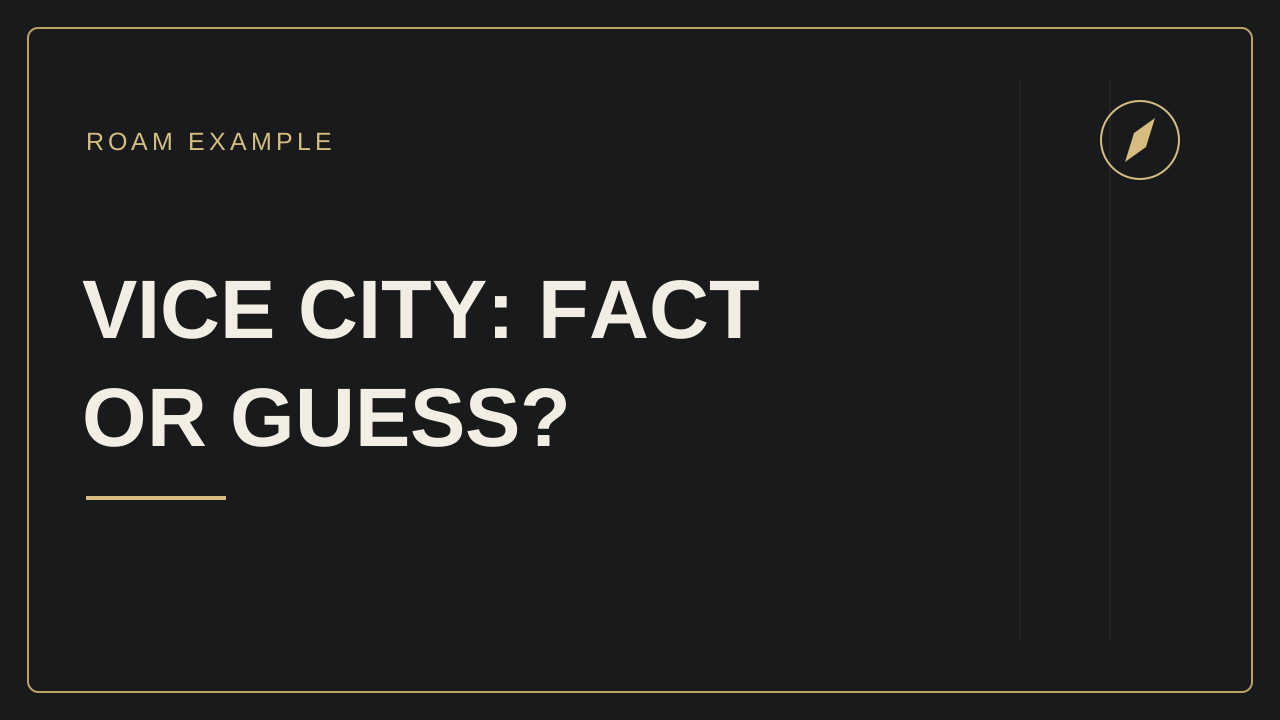 16:9 and 9:16 SVGs. Open the example in the editor to export your own PNG or JPG.